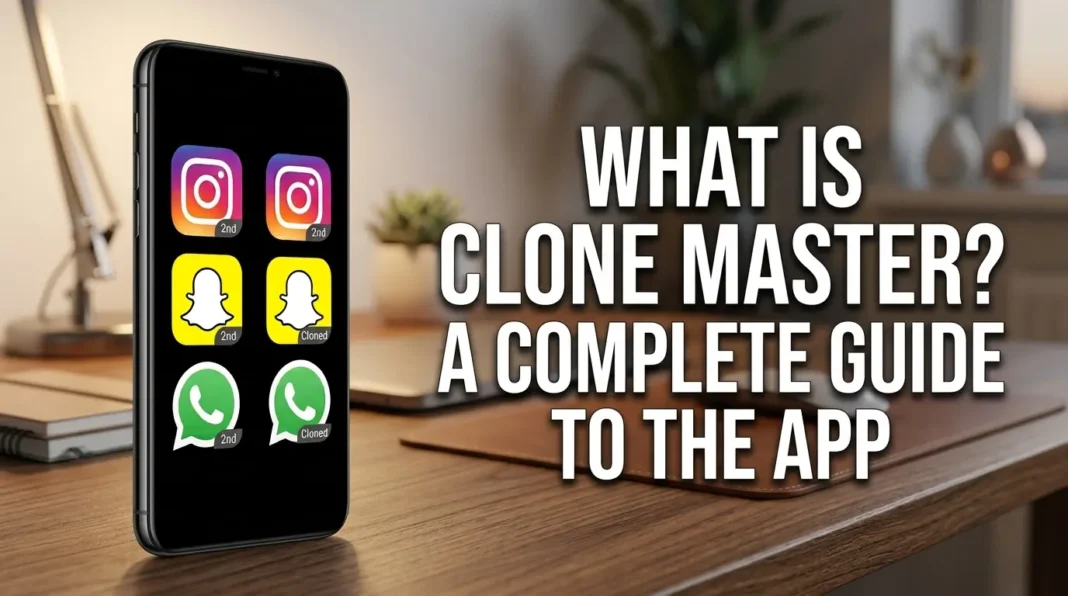
Ever wished you could use two WhatsApp or Instagram accounts on the same phone without constantly switching back and forth? If you have ever had to log out of one account just to check another, you probably know how annoying that can get. Clone Master is built around that exact problem.
Clone Master – Multi Dual Space lets you create separate copies of certain apps already installed on your Android phone. You can then use another account inside the cloned version without logging out of the original one. Apps such as WhatsApp, Facebook, Instagram, Telegram, Signal, and Snapchat are listed as supported.
It sounds pretty simple, but there is a little more going on behind that second app icon. How does Clone Master actually work? Does it need Root access? And what happens to the data in the original and cloned versions? Let’s take a closer look.
What Exactly Is Clone Master?
Clone Master is an Android app that creates an additional environment for selected apps. Once an app has been cloned, the new copy can be used separately from the original, allowing two accounts to stay active on the same phone.
Say you use WhatsApp for both personal and work messages. Your personal account can remain in the regular WhatsApp app, while the work account runs inside the Clone. You are not replacing the original app or moving its data somewhere else. Clone Master simply gives the second copy its own space.
You can also create multiple Clones and change their names and icons. That can be surprisingly useful once you have several copies sitting on your phone. Without some way to tell them apart, things can get confusing pretty quickly.
What Can You Use Clone Master For?
Running multiple accounts is the obvious reason to use a cloning app, but there are a few other situations where it can be useful. The important part is whether the particular app behaves properly inside the Clone.
Keeping Two Accounts on One Phone
Having two accounts for the same service does not have to mean constantly signing out and signing back in. One account can stay in the original app while the other runs in its cloned copy.
WhatsApp, Facebook, Instagram, LINE, Signal, Telegram, IMO, and Snapchat are among the apps listed for this type of use.
For someone who checks a work account throughout the day, that little bit of convenience can make a real difference. No repeated logins. No wondering which account is currently open.
Separating Work From Personal Use
Another common use is keeping personal and work accounts apart.
You might keep your personal Instagram account in the normal app and put a work account in the Clone. Both stay on the same phone, but you do not have to keep jumping between profiles inside one app.
It is a small change to the way you use your phone, yet it can make things feel much less messy.
Running More Than One Game Account
Clone Master is not just for messaging and social media. Some games can also be cloned, which is useful if you maintain more than one account.
There is a catch, though. Games can be much less predictable than ordinary apps. They may use their own security checks or other restrictions, so a cloned version might refuse to open, crash, or behave differently from the original.
That is one of those cases where you really need to try the specific game rather than assume it will work.
Using Multiple Google Services
The current Google Play listing also mentions Google services such as Google Play Store, Google Workspace, Google Sheets, and Google Meet.
That does not guarantee that every feature will behave perfectly inside a Clone. Some services are simply more difficult to duplicate than others, and your Android setup can make a difference too.
How Does Clone Master Work?
Normally, when you install an app, Android gives it its own environment and stored data. Clone Master creates another environment for a supported app so the second copy can operate separately.
The cloned version has its own account data rather than simply taking over the account in the original app. So, if you already have an Instagram account signed in, you can create an Instagram Clone and use another account there.
At first glance, it feels almost like having two phones inside one. Of course, it is not quite that simple. App security, Android versions, updates, and compatibility can all affect how well a Clone works.
Getting Started With Clone Master
The basic setup is not complicated: choose an app, create its Clone, and open the new version. The names of some buttons or menus may change with future updates, so do not worry if your screen looks slightly different from the steps below.
Step 1: Install Clone Master
Start by installing Clone Master – Multi Dual Space from a reliable source.
The Google Play listing identifies Benisoha Fusion as the developer. At the time of review, the app had passed one million downloads, and its latest listed update was dated August 5, 2026.
Step 2: Pick the App You Want to Clone
Open Clone Master and look through the apps available for cloning.
Choose the app you want and follow the instructions on screen. If it does not appear in the list, or the process ends with an error, your phone may not be the problem. The app itself might simply not be compatible.
Step 3: Create the Clone
Once you have chosen an app, start creating the second copy.
This can take a little time, particularly with larger apps. When the process finishes, the cloned version should be available through the Clone Master environment.
Step 4: Add Your Second Account
Open the cloned app and sign in with your other account.
For instance, you can leave your first Telegram account in the normal Telegram app and use the Clone for a second one. Both accounts can then remain available on the same device.
That is really the main appeal of the whole setup: you stop having to constantly switch accounts.
Step 5: Rename or Customize the Clone
Once you have created several Clones, identifying them by tiny app icons can become a headache.
Clone Master lets users change the name and icon of cloned apps. It is not a huge feature, but if you have multiple copies installed, you will probably appreciate it.
Which Apps Work With Clone Master?
The Google Play listing currently names several popular apps, including:
- LINE
- Signal Telegram
- IMO
- Snapchat
Certain streaming platforms and Google services are also mentioned.
Keep in mind that an app list is not the same thing as a permanent compatibility guarantee. Mobile apps are constantly being updated. A change to an app’s security system can suddenly affect a Clone that worked perfectly before.
There is a good real-world example in the Google Play reviews from July 2026. One user reported that a cloned version of Pokemon TCG Pocket started crashing after a major game update. Other users, meanwhile, reported much more positive experiences with Clone Master.
So if one particular app matters to you, it is worth checking that app specifically instead of assuming every supported title will behave the same way.
What Is Clone Master Like in Real-World Use?
The feature list looks useful on paper, but that only tells you half the story. The more interesting question is what happens after you actually start using it.
Google Play reviews show a mixed picture. Some users have apparently used Clone Master for years without major trouble. Others have dealt with crashes, slow performance, ads, or problems after an app update.
And honestly, that difference matters. A cloning app can feel fantastic when everything works, then become incredibly frustrating when one important app suddenly stops opening.
Positive Experiences
Some users have had a very good experience with Clone Master. One Google Play reviewer said they had been using it for around three years and had not experienced crashes or ads during that time.
Another user described Clone Master as more reliable than other cloning apps they had tried and praised its simple interface and smooth performance.
There are also shorter reviews from users who simply say the app solved the problem they needed it to solve. One recent reviewer described it as exactly what they wanted.
That is probably the best-case scenario with an app like this: install it, clone what you need, and forget about the technical side of it.
Not Everyone Has the Same Experience
The less positive reviews are worth reading too.
One user reported that a cloned game worked normally until the game received an update. After that, the Clone started crashing. That kind of problem can be especially irritating because there is not much you can do when the original app has changed underneath the Clone.
Other users have mentioned high storage usage or slow Clones. Some have also reported that particular apps simply would not work correctly in the cloned environment.
There are even cases where users say a cloned app needs an update before it can open, but the update process does not work properly through the cloning environment.
So, if you are thinking about using Clone Master, I would keep one expectation in mind: it may work perfectly for your apps, but there is no guarantee that every app will behave well.
Does Clone Master Need Root?
No. Root access is not required for Clone Master’s basic cloning features.
If you have never dealt with Root before, it basically gives an Android user deeper access to the operating system. Some older tools relied on that level of access, but Clone Master is designed to work without Rooting your phone.
One thing is important here: No Root does not mean universal compatibility.
An app can still depend on Android features, security checks, or system functions that do not play nicely with cloning. In those cases, the Clone might behave differently or refuse to work altogether.
What Happens to the Data in the Original and Clone?
The original and cloned versions keep their account data separate. That separation is what allows you to sign into one account in the normal app and another account in the Clone.
Think of Instagram again. Your personal account can remain signed in to the original Instagram app while another account is used inside the cloned version.
Still, there is an important difference between separate app data and privacy. They are not the same thing.
If privacy is important to you, take a few minutes to check the permissions, privacy policy, and data practices of the version you install.
Is Clone Master Safe to Use?
I would not answer this with a simple “yes” or “no.” There are a few things worth checking first.
Google Play’s information says the app does not share information with third parties. Its Data Safety section also says that the app may collect App activity, that data is encrypted during transfer, and that the collected data cannot be deleted according to the information provided there.
The app also has a fairly broad set of Android permissions. These include permissions related to location, camera, calls, contacts, phone numbers, phone status, and audio recording.
None of that automatically means the app is malicious. A cloning tool may need access to different parts of the phone to run the apps inside its environment. Still, I would not ignore those permissions either.
If you decide to install it, check what permissions the current version requests on your own phone. That gives you a much clearer picture than simply calling an app “safe.”
Clone Master: Pros and Cons
The Good Parts
Some of the main advantages are:
- Multiple accounts can be used on the same device
- Support for several popular messaging and social media apps
- Clone names and icons can be customized
- Clone data are kept separate from the original app
- Root access is not required
- Android 15 support is listed
- Some Google and streaming services can also be cloned
Things to Keep in Mind
Compatibility is probably the biggest limitation. An app that works today might stop working after its next update.
Storage and performance are another consideration. Creating several Clones means storing additional app data, and some users have reported that certain Clones become slow or use a noticeable amount of storage.
Then there are the ads. Some reviewers have complained about them, while others say they have had little or no problem with advertising.
So the experience can be quite different from one person to another.
Clone Master vs. Your Phone’s Built-In Dual Apps Feature
Before installing another app, have a look through your phone’s settings. You may already have a feature called Dual Apps, App Clone, or something similar.
Many Android manufacturers offer this option directly in the operating system. When available, it can be the easier choice because you do not need another third-party app running on the phone.
If the built-in feature supports the app you need, I would probably start there. It is simpler and means one less application to maintain.
If your phone does not offer the feature, or it cannot clone the particular app you want, Clone Master becomes a more interesting option.
Who Might Actually Need Clone Master?
Clone Master is mainly useful if you regularly deal with multiple accounts.
It could make sense for:
- Someone with separate personal and work accounts
- Users managing several social media profiles
- People who need more than one messaging account
- Gamers with multiple accounts in the same game
- Anyone who does not want to carry a second phone just for another account
If you only use one account for each app, though, you probably will not notice much benefit. In that case, installing a cloning app may just add another layer of stuff to manage.
Frequently Asked Questions
Can Clone Master run two accounts of the same app?
Yes. That is the main reason people use it. You can keep one account in the original app and another in the cloned copy, as long as the app works properly inside the Clone environment.
Is there a free version of Clone Master?
Clone Master is available as an installable app on Google Play, and some users have mentioned seeing ads. Features and restrictions can change between versions, so it is worth checking the current Play Store listing before installing it.
Will I have to Root my Android phone?
No. Root access is not required for Clone Master’s cloning features.
Can I use two WhatsApp accounts with it?
WhatsApp is listed as one of the supported apps. You can use one account in the original WhatsApp app and another in the Clone, although the exact experience can vary with the WhatsApp and Android versions you are using.
Does it work with every Android phone?
Not necessarily. Android 15 support is listed, but individual apps have their own technical requirements and security systems. A Clone that works on one phone may not behave exactly the same way on another.
Why does a cloned app sometimes stop working?
An app update is one common reason. Developers can introduce new security checks or technical changes that interfere with cloning.
This has also appeared in user reviews, including reports of Clones stopping after the original game or app was updated.
Will my original and cloned accounts have separate data?
Yes, the cloned version is designed to keep its account data separate from the original app. That separation is what allows two accounts to operate independently on the same phone.
So, Is Clone Master Worth Trying?
If you need two or more accounts on one Android phone, Clone Master is worth considering. It does not require Root, and it supports a range of popular apps.
Just do not expect it to magically make every app cloneable. That is where things can get frustrating. An app may work perfectly today and then break after an update, especially if it has strict security or compatibility requirements.
If your phone already has a built-in Dual Apps or App Clone feature, I would try that first. It is usually the less complicated option.
If you do not have that feature, Clone Master can be a practical way to keep multiple accounts on one device. For the right app, it can save you from a lot of unnecessary logging out, signing in, and switching back and forth.