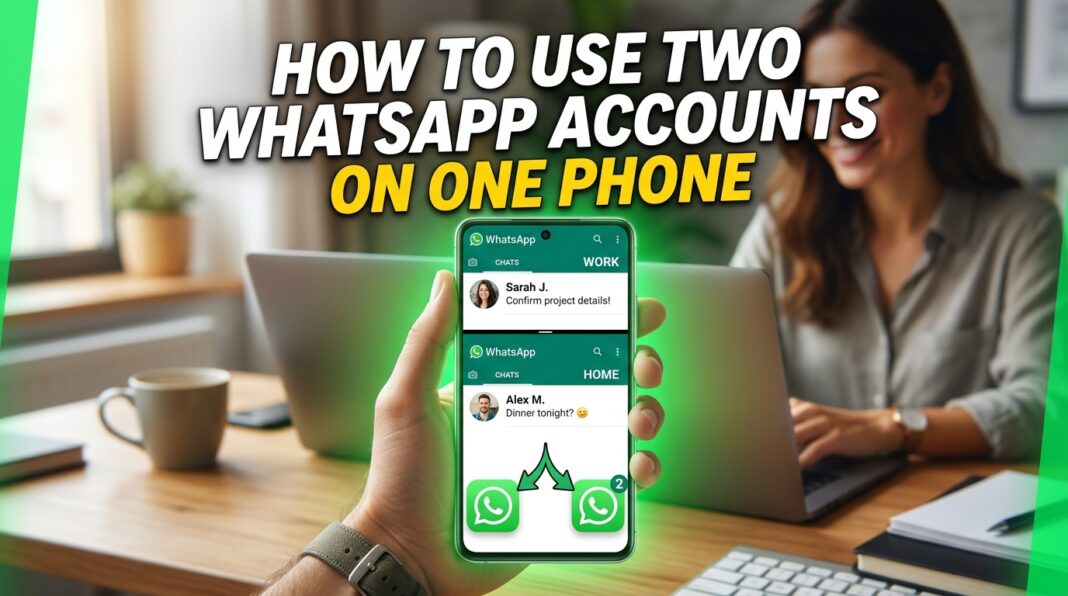
Want to keep work and personal messages separate without carrying two phones? WhatsApp introduced its multiple-account feature in October 2023, giving users a way to stay logged in to two accounts on one phone.
Can You Have Two WhatsApp Accounts on One Phone?
Yes, you can have two WhatsApp accounts on one phone. Meta introduced a feature that lets users stay logged in to two accounts at the same time. This means you can switch between work and personal accounts without logging out each time or carrying two phones.
If you want to use dual WhatsApp, the first thing to consider is your phone number. According to Meta, setting up a second account requires a second phone number and SIM card, or a phone that supports multiple SIM cards or an eSIM.
You can also manage privacy and notification settings for each account separately. This can make it easier to keep your personal and work conversations organized.
How to Use Dual WhatsApp: The Available Methods
There are several approaches to having two WhatsApp accounts on one phone. The right choice depends on your phone and the features available to you.
Add a Second Account in WhatsApp
The most direct option is to use WhatsApp’s built-in multiple-account feature.
According to Meta, you can set up a second account by following these steps:
- Open WhatsApp on your phone.
- Open Settings.
- Tap the arrow next to your name.
- Select Add account.
- Follow the account setup instructions.
You need a second phone number to register the additional account. Your phone must also support the necessary SIM or eSIM arrangement.
This method lets you keep two accounts logged in at the same time. You do not need to log out of one account every time you want to use the other.
If your goal is simply to add dual WhatsApp for work and personal conversations, check whether this feature is available in your app before looking for another solution.
Can You Have Two WhatsApp Accounts With One Phone Number?
Meta’s instructions specify that you need a second phone number to set up a second WhatsApp account. A second SIM card is one option. A phone that supports multiple SIM cards or an eSIM is another option mentioned in Meta’s announcement.
Having two SIM cards does not automatically mean that two WhatsApp accounts have been created. You still need to register and set up the second account. Therefore, if you want two separate WhatsApp accounts, plan to use two phone numbers rather than expecting one number to create two independent accounts.
Can You Use WhatsApp and WhatsApp Business on One Phone?
WhatsApp Business is another option to consider, particularly if you want to separate business conversations from personal messages. WhatsApp describes Business as an app for small businesses. It includes features such as business profiles, chat organization and tools for responding to customers.
WhatsApp Messenger and WhatsApp Business are separate applications. Before choosing this approach, check the official setup requirements for both apps and make sure you have the phone numbers needed for your intended account arrangement.
If your main purpose is to keep customer conversations separate from personal chats, WhatsApp Business may be worth considering instead of creating a copied app.
Is It Safe to Clone WhatsApp With a Third-Party App?
Some users search for a cloning app when they want to create dual WhatsApp. However, Meta specifically advises users to use the official WhatsApp application and avoid imitations or fake versions as a way to get additional accounts.
Meta also states that messages are secure and private when users use the official WhatsApp application. Check the official options available on your phone before installing another application. If WhatsApp’s built-in feature or your phone’s supported dual-app function meets your needs, you may not need a third-party cloner.
One alternative is to Download Clone Master, an Android app that creates separate copies of supported apps. It may let you use a 2 whatsapp account setup by keeping one account in the original app and another in the cloned version. The setup is straightforward, making it a convenient option for users who want to manage personal and work accounts on the same phone without constantly switching between them.
How to Open Dual WhatsApp After Setup
Once you have configured a second account, the way you open it depends on the method you chose. With WhatsApp’s multiple-account feature, you can switch between the accounts that are logged in to the app. If your aim is to use dual WhatsApp without repeatedly logging out, choose a method that supports the separate account setup you need.
If you are exploring other ways to manage multiple accounts on Android, learn what is Clone Master and how it works in our complete guide.
Which Method Should You Choose?
The best method depends on the features available on your phone and how you want to manage your accounts.
| Method | What it offers |
| WhatsApp Multiple Accounts | Keeps two accounts logged in within WhatsApp |
| WhatsApp Business | Provides business-focused messaging features in a separate application |
| Clone Master – Multi Dual Space | Creating a separate instance of supported apps for managing multiple accounts |
If WhatsApp’s multiple-account feature is available to you, start there. If you prefer a phone-level solution, check Samsung Dual Messenger or Xiaomi Dual Apps, depending on your device. For customer conversations, consider whether WhatsApp Business better matches your needs.
Frequently Asked Questions
How do you add a second WhatsApp account?
Open WhatsApp Settings, tap the arrow next to your name and select Add account. Meta says you need a second phone number and a supported SIM or eSIM arrangement.
How do you install dual WhatsApp on Samsung?
Open Settings, select Advanced features, tap Dual Messenger, choose a supported app and follow the installation instructions. Availability varies by device and software version.
How do you use Dual Apps on Xiaomi?
Xiaomi’s Dual Apps feature creates a separate copy of a supported application. Check your device’s settings and Xiaomi’s official support documentation for the available options.
Can you have two WhatsApp accounts on one phone?
Yes. Meta’s multiple-account feature allows two accounts to remain logged in at the same time. A second phone number is required for the additional account.
Can you use WhatsApp and WhatsApp Business?
They are separate applications with different purposes. WhatsApp Business includes tools designed for small businesses, such as business profiles and customer messaging features.
Conclusion
You can use two WhatsApp accounts on one phone through WhatsApp’s multiple-account feature or some apps. Choose the supported option that fits your device, use a second number, and prioritize official applications for peace of mind.