
App Name
Clone Master
Version
2.8.2.10
Last Updated
Oct 29, 2026
Requirements
7.0 and up
Downloads
1,000,000+ downloads
Size
8.3 MB
Screenshot
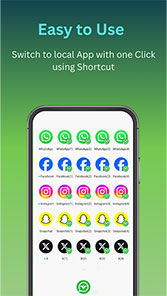
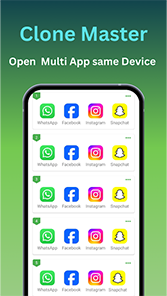

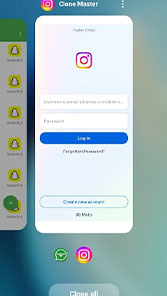
Download Clone Master APK – Latest Version for Android
Clone Master – Multi Dual Space lets you create separate copies of supported Android apps and use more than one account on the same device. Download Clone Master to keep personal, work, and gaming accounts in separate app instances without repeatedly logging in and out. No root access is required for its core cloning features.
[Clone Master Download] [Get it on Google Play]
Clone Master Latest Version: 2.8.0.10
Want to learn more about the app before using it? Read our guide: What Is Clone Master?
The latest listed release of Clone Master is version 2.8.0.10. Check the app details below before starting your Clone Master App Download.
|
App name |
Clone Master – Multi Dual Space |
|
Latest version |
2.8.0.10 |
|
Package name |
com.cmaster.cloner |
|
Developer |
Benisoha Fusion |
|
Category |
Tools |
|
Content rating |
Everyone |
|
Downloads |
1,000,000+ |
|
Latest listed update |
August 2026 |
|
File size |
Approximately 8.3 MB |
|
Platform |
Android |
Why Download Clone Master?
Clone Master is designed for people who need separate accounts in supported apps. Instead of signing out of one account every time you switch, you can create another app instance and sign in with a different account.
Create a Separate Copy of Supported Apps
Choose a compatible app and create a clone while keeping the original installation on your phone. Each instance can be used for a different account. App compatibility varies, and some services may restrict cloning or may not work as expected.
Manage Multiple Accounts
Keep personal and work profiles, or separate game accounts, in different app instances. This can reduce repeated sign-ins when you regularly use more than one account on the same Android device.
Customize App Names and Icons
Change the name and icon of a cloned app so you can tell each copy apart. Clear labels make it easier to open the account you need.
Manage Permissions and Use Incognito Login
Clone Master includes permission management for cloned apps and an incognito login feature. Available options may differ depending on the app being cloned and your device.
No Root Required
You do not need to root your Android phone to use Clone Master’s core app-cloning features.
Supported Apps
Clone Master lists supported apps across several categories, including social media, messaging, games, streaming, and selected Google services. Examples include WhatsApp, Facebook, Instagram, LINE, Signal, Telegram, IMO, Snapchat, Roblox, Netflix, Google Play Store, Google Sheets, Google Meet, and Google Workspace.
The list does not mean every version of every app is guaranteed to work. Compatibility can change after an app update, an Android update, or a change to the service’s security requirements. Check the result on your device before relying on a cloned app for an important task.
What’s New in Version 2.8.0.10
The latest listed version includes these changes:
Fixed issues related to Roblox.
Resolved several known bugs.
Added support for full edge-to-edge display.
Download Clone Master for Android
Ready to use separate accounts on one phone? Choose your preferred download option below. For the safest installation, use the official Google Play listing whenever it is available for your device and region. If you download the APK file from this website, make sure the file comes from a trusted source and check that its version matches the details shown on this page.
[Download Clone Master APK] [Download on Google Play]
Frequently Asked Questions
Is Clone Master free to download?
Check the current Google Play listing or the download page for the latest pricing and in-app purchase information. Availability and terms may vary by region.
How do I download Clone Master APK?
Use the verified APK download button on this page, or visit the official Google Play listing. Before installing, check the version number and make sure the file is from a trusted source.
What is the latest version of Clone Master?
The latest version listed on this page is 2.8.0.10. Check this page again for newer releases and update information.
Does Clone Master require root access?
No. Root access is not required for Clone Master’s core app-cloning features.
Can I clone WhatsApp, Instagram, or other apps?
Clone Master lists apps such as WhatsApp and Instagram among its supported options. Actual compatibility can depend on the app version, Android version, and the service’s restrictions.
Why might a cloned app fail to open?
Some apps use technical or security restrictions that can prevent cloning. Compatibility may also change after an app or Android update.